Heat Press Guides

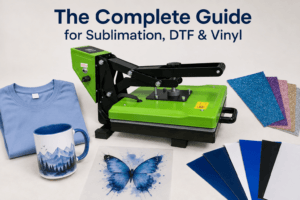
The Complete Guide for Sublimation, DTF & Vinyl
Heat Press Settings: The Complete Guide for Sublimation, DTF & Vinyl | Print Geek Heat Press SettingsThe Complete Guide for Sublimation, DTF & Vinyl If

Heat Press Settings: The Complete Guide for Sublimation, DTF & Vinyl | Print Geek Heat Press SettingsThe Complete Guide for Sublimation, DTF & Vinyl If
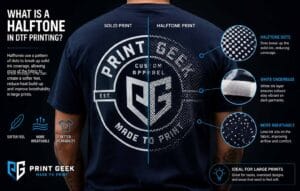

Halftones can make large DTF transfers feel lighter, softer and more wearable by reducing solid print coverage while keeping the artwork visible.
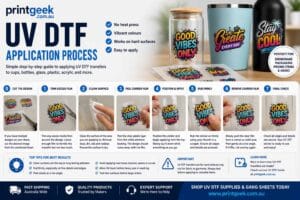
Learn how to apply UV DTF stickers and transfers with clear step-by-step instructions, surface cleaning tips, positioning advice, carrier film removal, pressure tips and troubleshooting.
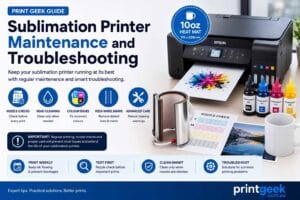
Learn how to maintain and troubleshoot sublimation printers, including weekly test prints, nozzle checks, head cleaning, incorrect colours, pizza wheel marks, borderless printing issues, power cleaning and manual cleaning warnings.
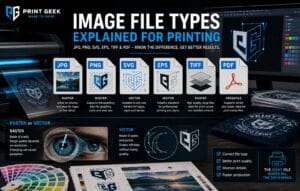
Confused about JPG, PNG, SVG, EPS, TIFF and PDF files? This guide explains the strengths, weaknesses and best printing uses for each format, including transparency, vector artwork, colour profiles and how to choose the right file type for sublimation, DTF, UV DTF, logos and print-ready artwork.
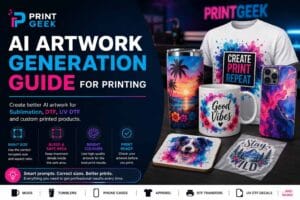
Learn how to create better AI artwork for printing with correct template sizes, aspect ratios, bleed, safe areas and final file checks. This guide covers practical prompt tips for sublimation blanks, mugs, phone cases, apparel, DTF transfers and UV DTF decals so your artwork is easier to print, press and finish correctly.
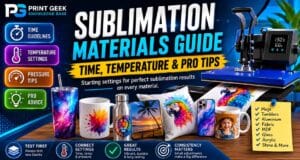
Learn starting sublimation time, temperature and pressure guidelines for common materials, including mugs, tumblers, aluminium, polyester, MDF, glass and sublimation blanks.

Learn how to choose the right heat press for sublimation, DTF transfers, garments, mugs, tumblers, caps and small business printing workflows.
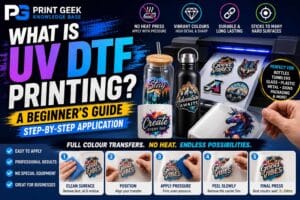
Learn what UV DTF printing is, how UV DTF transfers work, what products they suit, how to apply them and the pros and cons of UV DTF stickers.
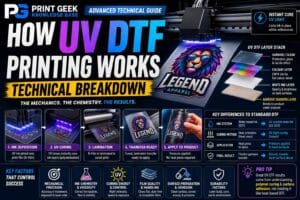
Learn how UV DTF printing works at a technical level, including UV ink layers, film, adhesive, curing, varnish, surface adhesion and application variables.
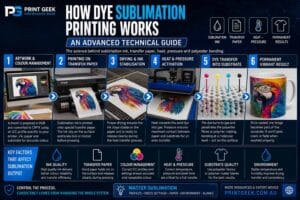
Learn how dye sublimation printing works at a technical level, including sublimation ink, transfer paper, heat, pressure, polyester coatings, colour output and common production variables.
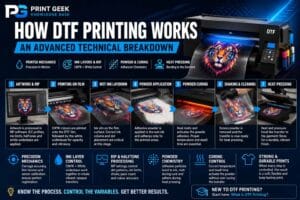
Learn how DTF printing works at a technical level, including RIP software, CMYK and white ink layers, adhesive powder, curing, film handling, heat pressing and common production variables.