
Image File Types Explained for Printing: JPG, PNG, SVG, EPS, TIFF and PDF
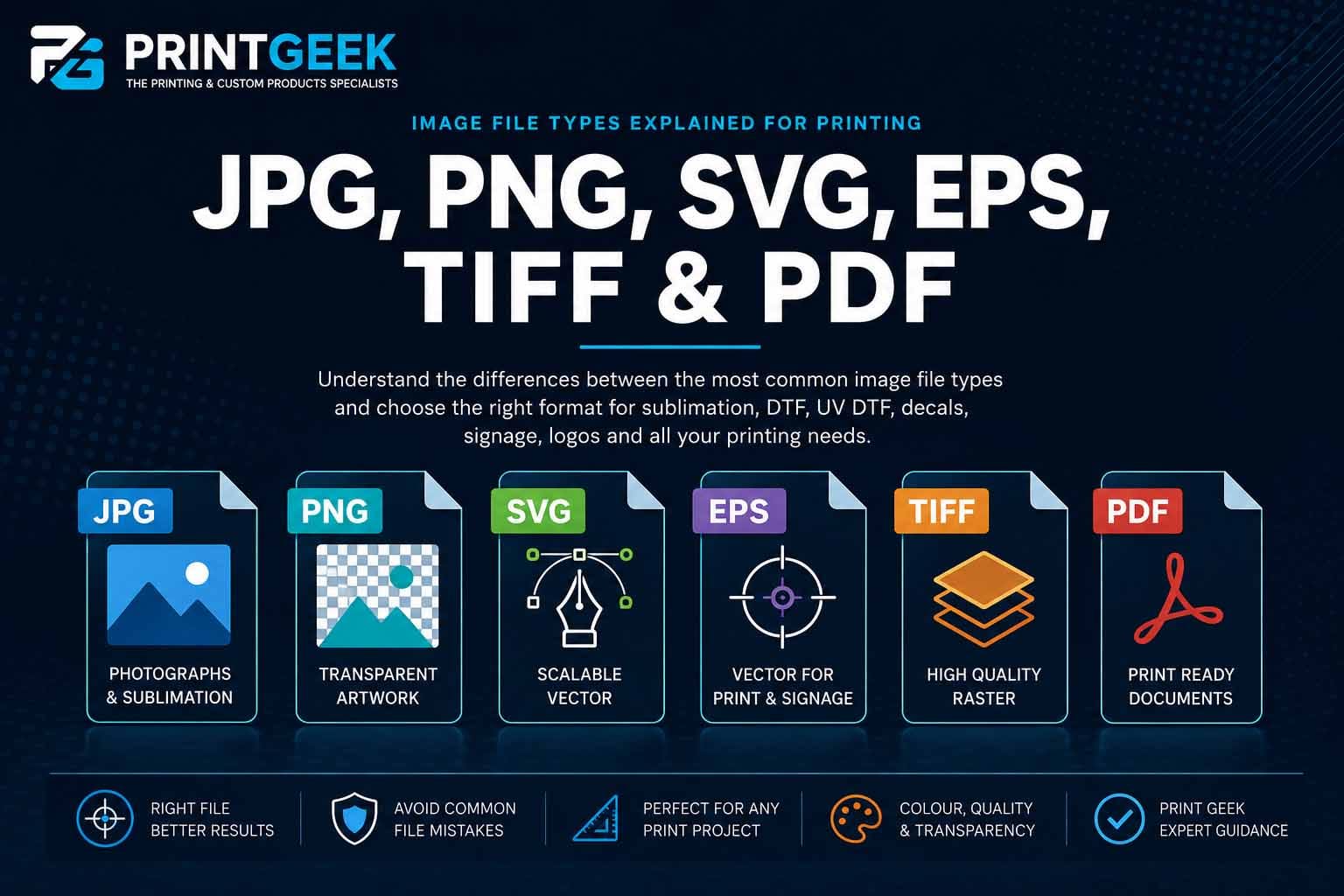
Choosing the right file type can make the difference between artwork that prints cleanly and artwork that creates problems before production even begins. This guide explains the practical differences between JPG, PNG, SVG, EPS, TIFF and PDF files for sublimation, DTF, UV DTF, decals, logos, signage and general print production.
The first big difference: raster vs vector
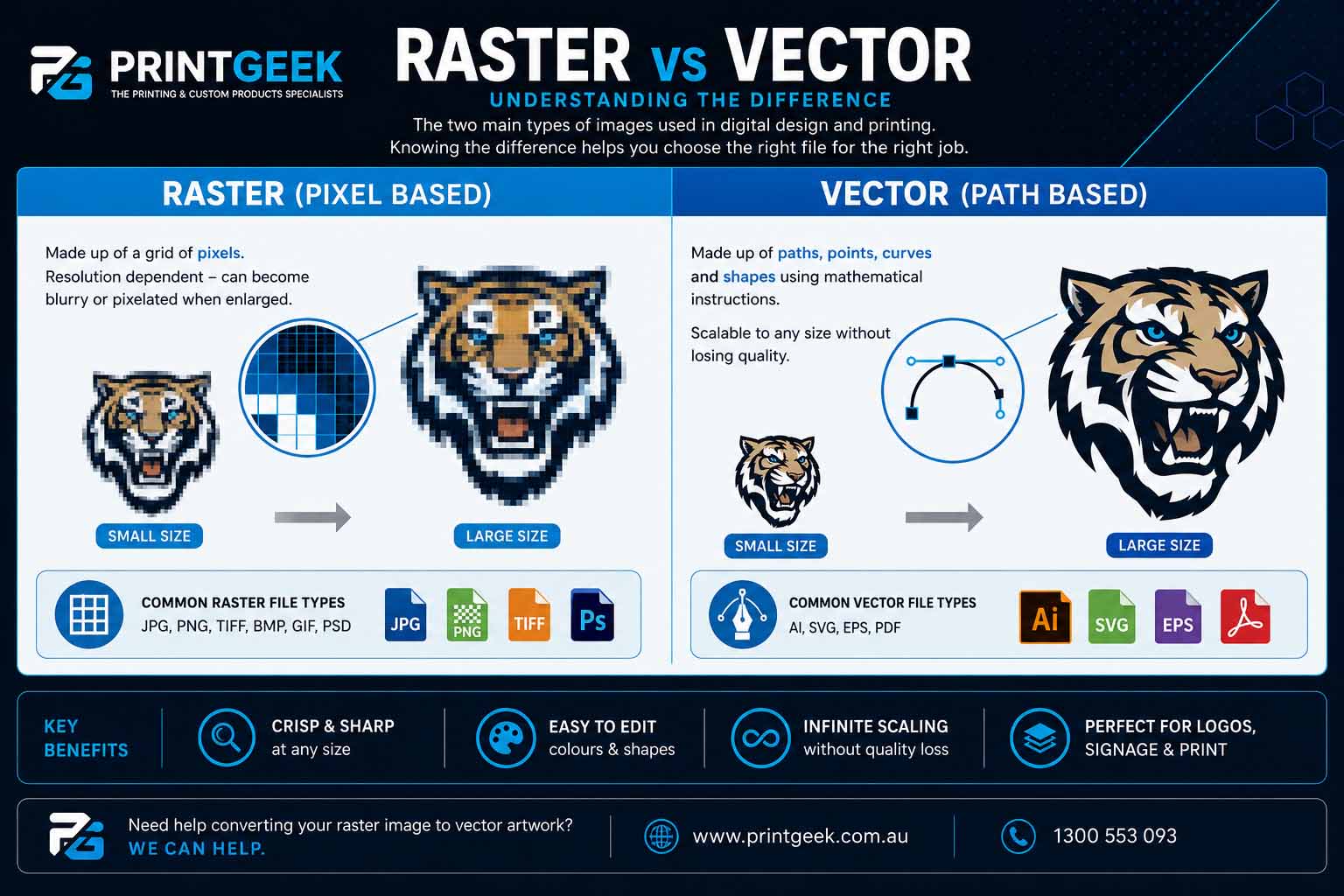
Before comparing individual file types, it helps to understand the two main categories of artwork files. Most artwork files are either raster images, which are made from pixels, or vector images, which are made from paths, shapes and mathematical instructions.
This is the biggest difference in print artwork. A file can look good on screen but still be unsuitable for print if it is too small, too compressed, not transparent when it needs to be, or not scalable enough for the final product size.
Raster images
Raster images are made from a fixed grid of pixels. JPG, PNG and TIFF are common raster formats. Photos, screenshots and most web images are raster images.
- Resolution dependent
- Can become blurry or pixelated when enlarged
- Often best for photos and full-colour artwork
Vector images
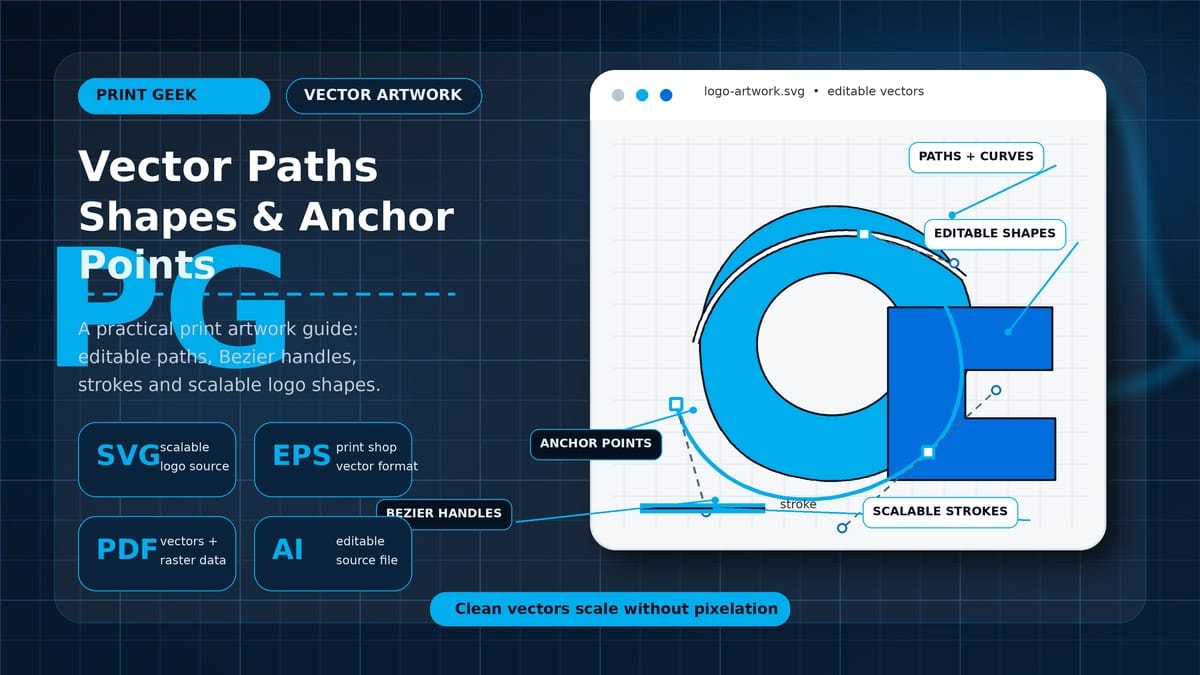
Vector images are made from paths, anchor points, curves, strokes and fills. SVG, EPS, AI and some PDF files can contain vector artwork.
- Scales cleanly without pixelation
- Often easier to recolour and edit
- Best for logos, icons, decals and signage
What is a raster image?
A raster image is made from a grid of pixels. Each pixel stores colour information. When enough pixels are placed together, they form the image you see.
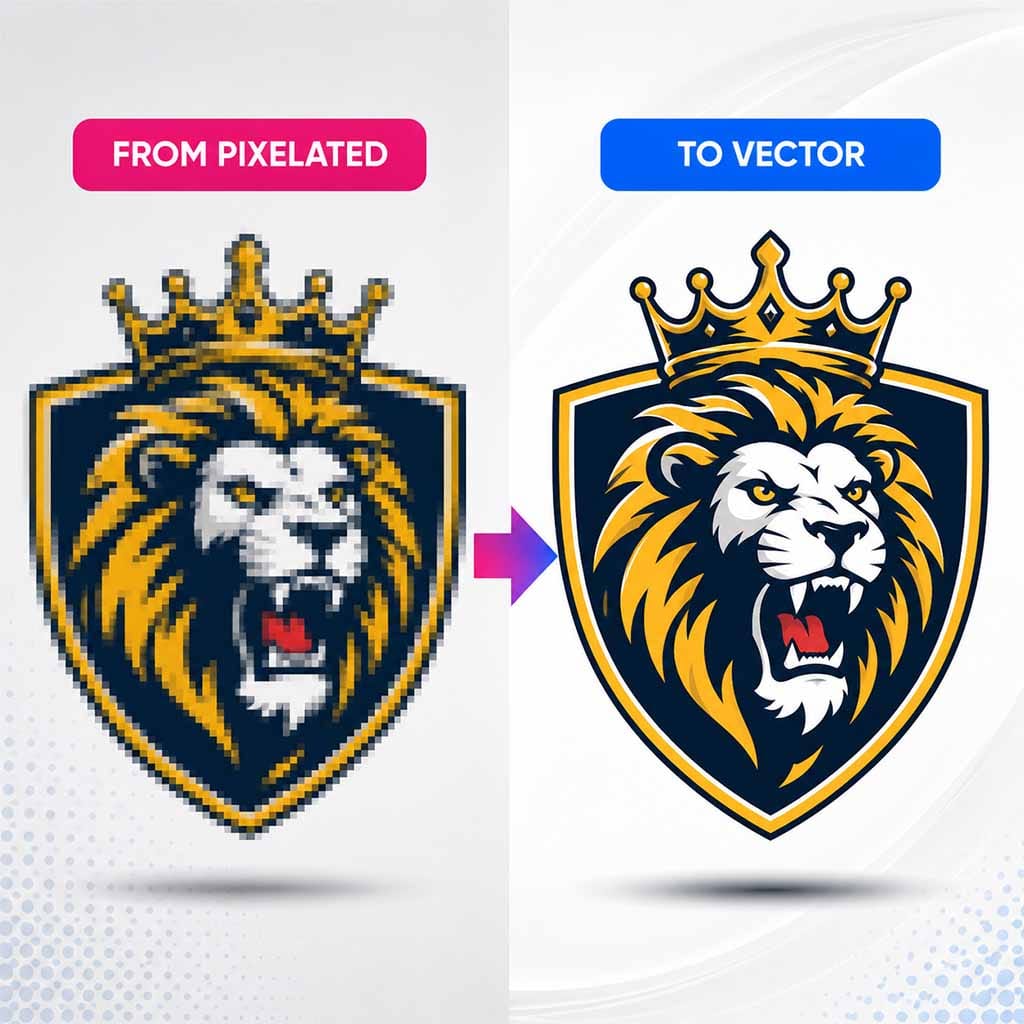
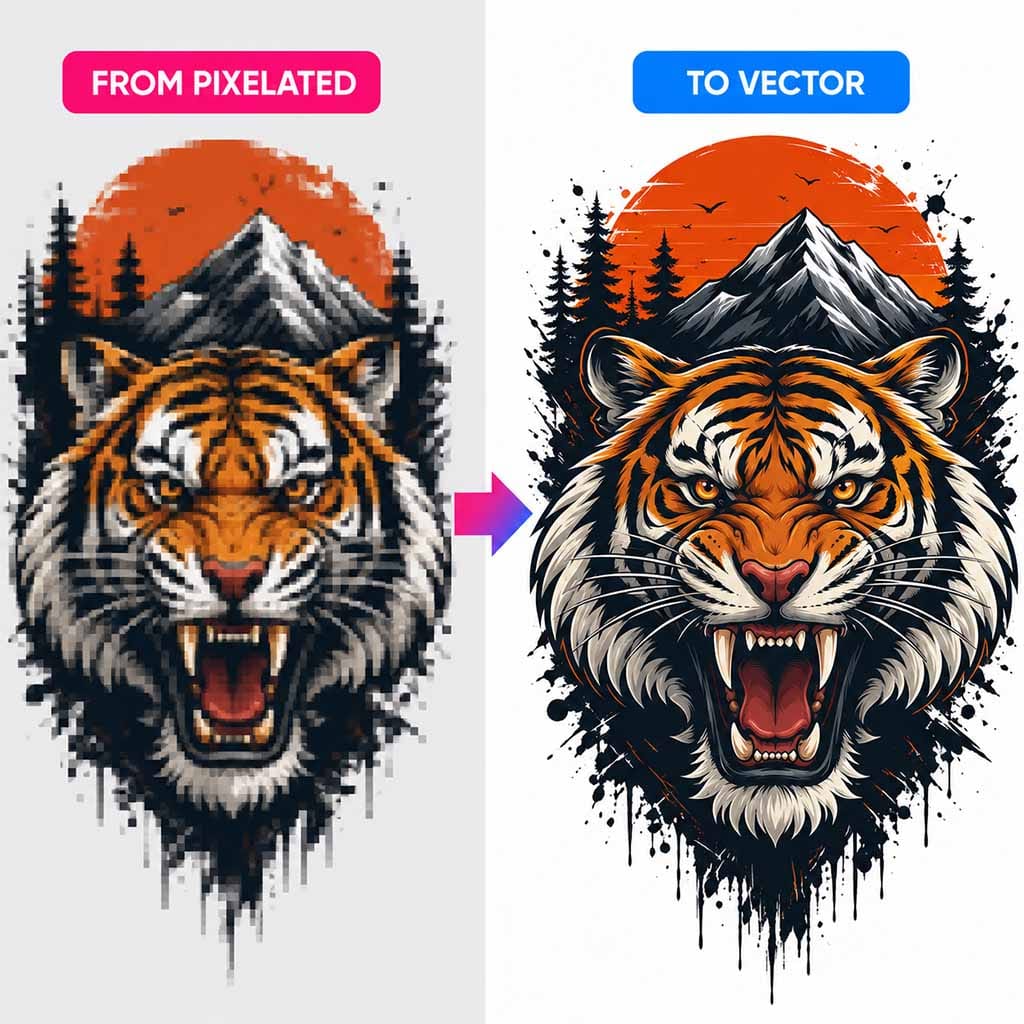
Raster images are resolution-dependent. That means their print quality depends on how many pixels they contain. A 3000 × 3000 pixel image has much more usable print detail than a 600 × 600 pixel image. If you enlarge a low-resolution raster image too much, it can become blurry, pixelated or jagged.
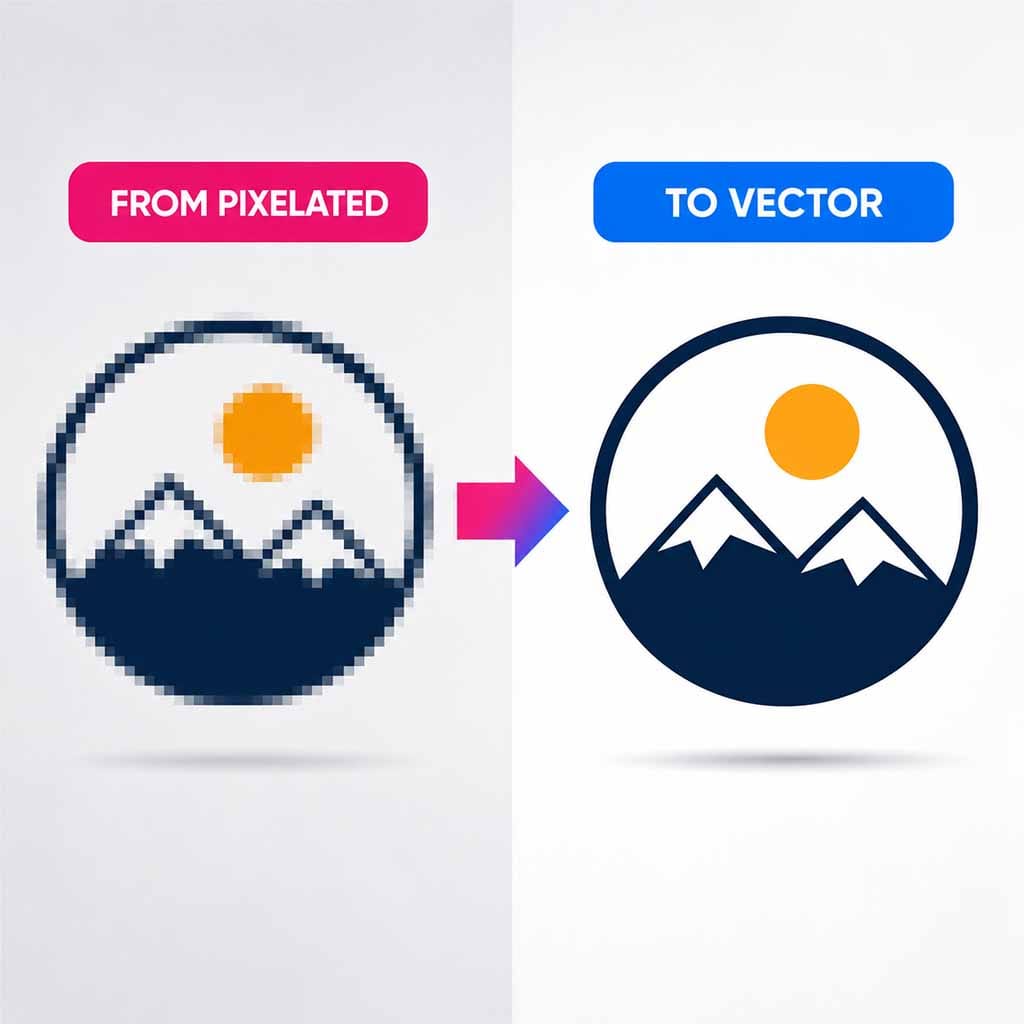
This is why a logo copied from a website often looks poor when enlarged for a shirt, decal, banner or sign. The file may only have been designed for small screen display, not print production.
What is a vector image?
A vector image is not built from a fixed pixel grid. It is built from mathematical paths, points, curves, fills, strokes and shapes.
Instead of saying “this image is 1000 pixels wide,” a vector file describes artwork more like: draw this line from point A to point B, curve this shape between anchor points, fill this shape with a colour, apply this stroke thickness, and scale everything proportionally when required.
Because vector artwork is mathematical, it can scale cleanly. A properly made vector logo can be printed small on a sticker or large on signage without becoming pixelated.
JPG files explained
JPG, also written as JPEG, is one of the most common image formats in the world. It is widely used for photos, product images, website graphics and general print artwork.
A JPG is a raster file. It is made from pixels and has a fixed pixel size.
Strengths of JPG files
JPG files are popular because they keep file sizes relatively small. This makes them easy to upload, email, store and process.
JPG is especially useful for photographic artwork, website images, product mockups, sublimation designs and full-colour images that do not require transparency.
For sublimation printing, JPG is often a very practical choice. Sublimation artwork is commonly printed onto white or light-coated products and often contains full-colour photos or designs. A high-quality JPG can work very well when saved at the correct pixel size and quality.
JPG files can also contain embedded colour profiles, such as sRGB or other ICC profiles. This can help colour-managed software understand how the colours are intended to display or print.
Weaknesses of JPG files
JPG uses lossy compression. This means some image data is discarded to make the file smaller. At high quality settings, this may not be very noticeable. At low quality settings, JPG compression can create blocky artefacts, fuzzy edges, colour banding, noise around text and poor logo sharpness.
JPG also does not support transparency. Every pixel in a JPG is opaque. If a design needs a transparent background, JPG is usually the wrong format.
Use JPG when
- You have photographic artwork
- You are printing sublimation artwork on a light blank
- You need smaller file sizes
- The design does not need transparency
- The artwork is a final print file, not an editable source file
Avoid JPG when
- You need a transparent background
- You need editable vector paths
- You need sharp logo edges
- The artwork will be enlarged heavily
- You need cut paths, strokes or scalable text
PNG files explained
PNG is another very common raster image format. It is often used for web graphics, transparent logos, digital artwork, stickers, DTF images and UV DTF artwork.
Like JPG, a PNG is made from pixels. But PNG handles compression and transparency differently.
The main advantage of PNG: transparency
The biggest reason people use PNG files for print artwork is transparency. PNG can support an alpha channel, which means each pixel can include transparency information, not just colour information.
A PNG pixel can be fully opaque, fully transparent or partially transparent. This is useful for artwork that needs to sit on a garment, transfer, decal or product without a rectangular background.
PNG vs JPG transparency
A JPG cannot have transparent pixels. If you see a JPG with a checkerboard-looking background, that checkerboard is not real transparency. It is just part of the image.
A PNG can have real transparency, but only if the file was saved correctly. This is a major issue with images downloaded from the web.
Many people find an image online that appears to have a transparent background because it shows a grey checkerboard pattern. But when they download it, the checkerboard is often actually baked into the artwork. It is not transparent. It is just a picture of a transparent-style background. If printed, the checkerboard may print as part of the design.

Use PNG when
- You need transparent artwork
- You are supplying DTF or UV DTF artwork with no background
- You need clean flat graphics
- You want to avoid JPG compression artefacts
- You need a transparent logo preview file
Avoid PNG when
- You need editable vector paths
- The PNG is low resolution
- The transparent background is fake checkerboard pixels
- You need small file size for large photographic artwork
- You need a professional long-term logo source file
JPG vs PNG: what is the real difference?
JPG and PNG are both raster formats, but they are designed for different strengths. A JPG is usually best for photos and full rectangular images where file size matters. A PNG is usually best for transparent graphics, logos, flat artwork and images where you want to avoid lossy compression.
JPG in plain English
A JPG is like a flattened photo. It is efficient, compact and widely supported, but it does not support transparency and can lose quality when compressed or repeatedly saved.
PNG in plain English
A PNG is like a cleaner pixel image that can include transparent areas. It is useful for logos and artwork with no background, but it can be larger and is still not infinitely scalable.

TIFF files explained
TIFF is a high-quality raster format commonly used in professional imaging, scanning, photography, prepress and archival workflows.
TIFF files can store a lot of image information and may support high bit depth, layers, alpha channels, CMYK data and embedded colour profiles depending on how they are saved.
Strengths of TIFF files
TIFF is useful when quality is more important than file size. It is often used for high-resolution scans, photography workflows, prepress artwork, archival master files and large print files where preserving detail matters.
Weaknesses of TIFF files
TIFF files can be very large. They are not ideal for quick web use, general product uploads or customer-friendly file sharing. Some customers may also struggle to open TIFF files depending on their device or software.
TIFF is still a raster format, so it does not solve the core problem of low-resolution artwork. A low-resolution TIFF is still low resolution.
SVG files explained
SVG stands for Scalable Vector Graphics. SVG is a vector file format commonly used for web graphics, icons, logos, simple illustrations and scalable artwork.
Unlike JPG or PNG, an SVG is not just a grid of pixels. It can contain paths, curves, shapes, fills, strokes, text and other vector instructions.
Why SVG is powerful
SVG files are scalable. A well-made SVG can be enlarged or reduced without becoming pixelated. SVG files are also often easy to edit. Depending on how the file is built, colours can be changed, shapes can be adjusted and artwork can be modified much more easily than a flattened JPG or PNG.
This is especially useful for logos. If a customer has a clean SVG logo, it may be possible to change colours, remove elements, scale it for different products, prepare it for decals or transfers, and export it into other formats.
SVG and colour changes
One of the big benefits of SVG is that many SVG graphics are made from individual shapes with editable fills and strokes. A designer may be able to select part of the logo and change its colour rather than repainting pixels.
However, not every SVG is equally editable. Some SVG files contain embedded raster images, expanded effects or messy paths. A file extension alone does not guarantee that the artwork is clean.
EPS files explained
EPS stands for Encapsulated PostScript. It is an older but still widely recognised professional graphics format. EPS files are often used for logos, signs, print production and artwork exchange between design and print businesses.
An EPS can contain vector artwork, raster artwork or a mix of both.
Strengths of EPS files
EPS has long been used in professional print workflows. Many print shops still accept EPS logos because it can preserve vector paths, spot colours and scalable artwork.
Weaknesses of EPS files
EPS is not as modern or web-friendly as SVG or PDF. Many computers cannot preview EPS files easily without design software. EPS can also contain old or messy data depending on how it was exported.
A common misconception is that every EPS file is automatically vector. This is not true. A customer can place a low-resolution JPG into an EPS file and save it. The file extension will be EPS, but the artwork inside may still be a low-resolution raster image.
PDF files explained
PDF is one of the most important file formats in print production. A PDF is best understood as a container format. It can hold vector artwork, raster images, text, fonts, colour profiles, bleed, crop marks, transparency and multiple pages.
A PDF can be vector, raster or both
One of the biggest misunderstandings about PDFs is the idea that every PDF is automatically high quality or vector. A PDF can contain a clean vector logo, or it can contain a blurry JPG placed inside a PDF page.
If the original artwork is low resolution, saving it as a PDF does not automatically fix the quality. It only wraps the artwork inside a PDF container.
Strengths of PDF files
PDF is excellent for final print-ready artwork, artwork proofing, multi-page documents, preserving layout, supplying files to printers, including bleed and crop marks, and combining vector text with raster images.
Weaknesses of PDF files
PDF is not always ideal as an editable source file. Some PDFs are easy to edit. Others are flattened, outlined, locked, compressed or built from raster images.
Quick file type comparison table
| File type | Type | Transparency | Scalable without quality loss | Best for | Main weakness |
|---|---|---|---|---|---|
| JPG | Raster | No | No | Photos, sublimation, full-colour rectangular artwork | Lossy compression, no transparency |
| PNG | Raster | Yes | No | Transparent artwork, DTF, UV DTF, logos with no background | Can be large, still pixel-based |
| TIFF | Raster | Sometimes | No | High-quality scans, photography, archival image files | Very large files, not web-friendly |
| SVG | Vector | Yes | Yes | Logos, icons, scalable artwork, editable colours | Not suitable for photos or very complex raster artwork |
| EPS | Vector/container | Sometimes | Yes, if true vector | Logos, signage, print supplier exchange | Older format, may contain raster images |
| Container | Sometimes | Sometimes | Final print files, proofs, layout, bleed/crop marks | Not always editable or vector |
Which file type should you use for sublimation printing?
For sublimation, a high-quality JPG is often a practical and efficient choice, especially for full-colour artwork, photos and designs printed onto white or light sublimation blanks.
JPG is useful for sublimation because file sizes are smaller than many alternatives, it handles photographic artwork well, it can include embedded colour profiles, and it works well for full rectangular designs.
Use PNG instead if the design requires transparency, and use vector artwork if the design is a logo that needs to scale, recolour or be cleaned up.
Which file type should you use for DTF printing?
For DTF artwork, PNG is commonly used when the artwork needs transparency. A transparent PNG can work well for DTF if the file is high resolution, the transparency is genuine, the edges are clean, there is no fake checkerboard background, and the artwork is supplied at the correct print size.
For logos, vector artwork is often better as the source file because it can be scaled and cleaned before exporting to the final production format. If your DTF artwork is AI-generated, low resolution or not editable, it may need cleanup or vectorisation before it is suitable for production.
Which file type should you use for business logos?
For business logos, the best source file is usually vector. Preferred logo source formats include AI, SVG, EPS and vector PDF. Acceptable but less ideal formats include high-resolution PNG and high-resolution JPG.
Poor logo source files include screenshots, low-resolution website images, social media profile pictures, JPG files with compression artefacts, PNG files with fake transparency, and images copied from invoices, email signatures or web pages.
Common file mistakes to avoid
Transparency mistakes
- Thinking every PNG is transparent
- Using a fake checkerboard background from the web
- Supplying a JPG when the design needs no background
Vector mistakes
- Thinking every PDF is print-ready
- Thinking every EPS is vector
- Saving a low-resolution image into a vector container
Resolution mistakes
- Enlarging small web logos
- Using screenshots as print artwork
- Downloading small images and expecting large print quality
AI artwork mistakes
- Not checking fake text or strange details
- Using AI images with messy edges
- Assuming AI artwork is print-ready without checking size and transparency
Recommended file types by print job
| Print job | Best file types | Why |
|---|---|---|
| Sublimation mugs, tumblers and photo panels | High-quality JPG, PNG if transparency is needed, PDF for final layout | Sublimation often works well with full-colour raster artwork on white-coated blanks. |
| DTF transfers | Transparent PNG, vector source file, PDF depending on workflow | DTF often needs real transparency and clean edges. |
| UV DTF decals | Transparent PNG, vector artwork, PDF | Decals often need clean shapes, defined edges and correct transparency. |
| Business logos | AI, SVG, EPS, vector PDF | Logos need to be scalable, editable and reusable across products. |
| Signage and decals | Vector PDF, EPS, SVG, AI | Signage often needs clean paths and scalable artwork. |
| Photography and image-heavy artwork | High-quality JPG, TIFF, high-quality PDF | Photos are raster by nature and need enough pixels for the final print size. |
The best file is the one that matches the job
There is no single best file type for every print job. A JPG may be perfect for sublimation but poor for a transparent DTF logo. A PNG may be ideal for transparent artwork but not ideal as a long-term editable business logo. An SVG may be excellent for a simple logo but unsuitable for a detailed photo.
A PDF may be perfect for final print delivery but may not be the best editable source file. The goal is to choose the file type that matches the artwork, the print method and the final product.
FAQ: Image file types for printing
Is PNG better than JPG for printing?
Not always. PNG is better when you need transparency or clean flat graphics. JPG is often better for photos and sublimation artwork where transparency is not needed and file size matters.
Can a JPG have a transparent background?
No. JPG files do not support transparent pixels. If a JPG appears to have a transparent checkerboard background, that checkerboard is part of the image.
Is SVG better than PNG?
SVG is better for scalable logos, icons and editable vector artwork. PNG is better for transparent raster images or artwork that contains pixel-based detail.
Is PDF always print-ready?
No. A PDF can be print-ready, but it depends on what is inside the PDF. It may contain vector artwork, raster images, text, bleed and colour profiles, or it may simply contain a low-resolution image.
Is EPS always vector?
No. EPS files often contain vector artwork, but they can also contain raster images. The file should be checked before assuming it is scalable.
What is the best file type for a business logo?
The best logo files are usually AI, SVG, EPS or vector PDF. These formats are more scalable and editable than JPG or PNG.
What is the best file type for DTF printing?
A high-resolution transparent PNG is commonly used for DTF printing. For logos and clean artwork, vector source files are often better before exporting the final production file.
What is the best file type for sublimation printing?
A high-quality JPG is often a practical choice for sublimation printing, especially for photos and full-colour artwork. PNG may be useful when transparency is needed.
Can AI-generated artwork be used for printing?
Yes, but it should be checked carefully. AI-generated images may have soft edges, fake text, odd details, low resolution or transparency problems. Some AI artwork may need cleanup or vector conversion before printing.
Need help fixing or converting artwork?
If you only have a JPG, PNG, screenshot, AI-generated image or old business logo, we may be able to help convert it into cleaner, more usable vector artwork.
Our Image to Vector Artwork Conversion Service is designed for customers who need artwork redrawn into a more scalable, editable and print-friendly format.