Sale!

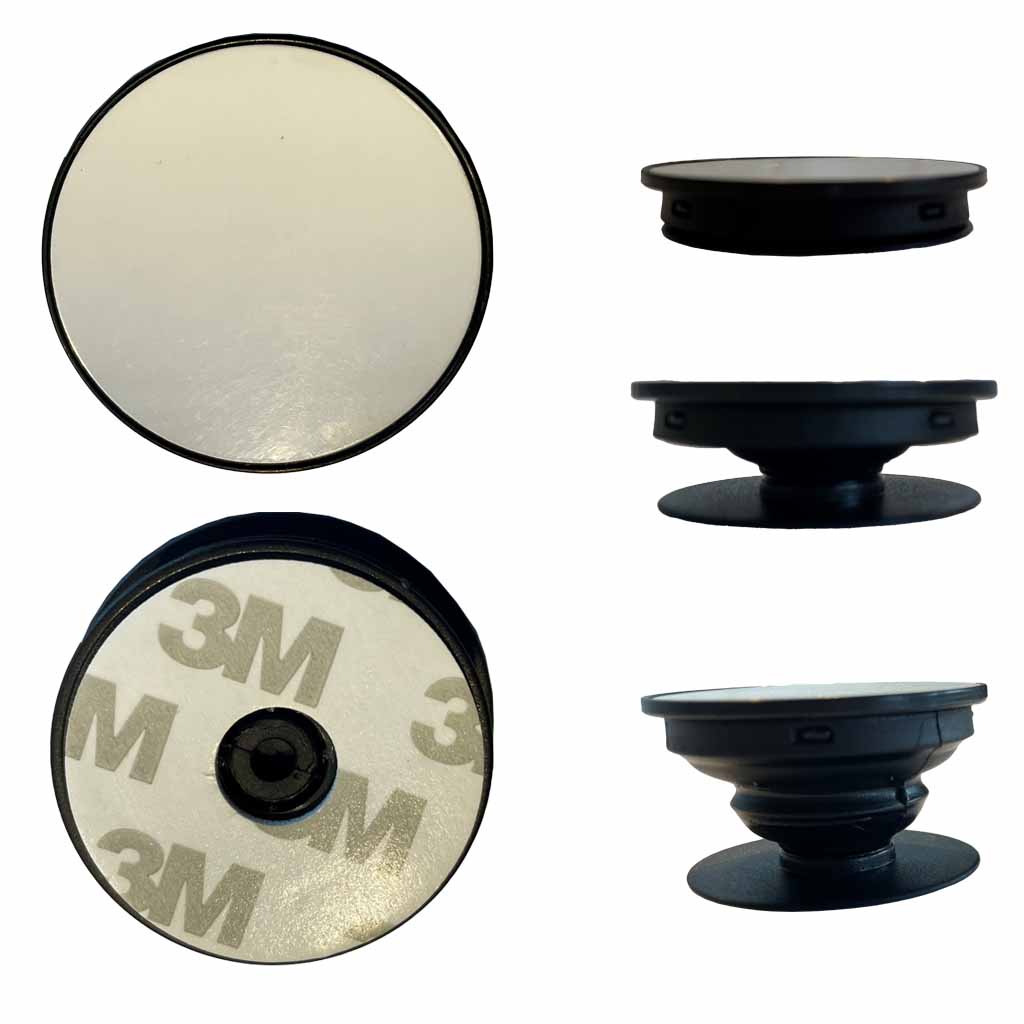
Pop Phone Holder Socket Sublimation Blank – Black [Pack of 100]

Original price was: $195.00.Current price is: $99.95.

-49%

https://printgeek.com.au/product/pop-phone-holder-socket-insert-blank-sublimation-pop-phone-holder-socket-mount-blank-australia-qld-nsw-nt-vic-tas-wa-act/

Same day dispatch on most orders

  • Get your supplies quickly
  • Order yours before 12pm for same day dispatch
Guaranteed Safe Checkout

📖 What to know about the Pop Socket Black Pack of 100

Popular sublimation phone grip that pop up and down and fit into various sockets available everywhere. Made of the highest quality with a gloss finish for sublimation. Can be pressed in a flat press.

Gloss Finish. Once you use one of these, you will never go back to leaving your phone sliding around and not being secure in the car office space (Stands available online).

📋 Pop Socket Black Pack of 100 Features

  • Optimised smooth coating allows for better ink adhesion, improving durability and long-term print quality.

  • The bright white gloss finish enhances colour vibrancy, delivering sharp detail and high-impact, glossy results

  • Designed for full-surface printing, the insert delivers a seamless design that is framed by the surrounding piece for a refined finish.

  • Expandable and collapsible design allows the holder to switch easily between a low-profile form and a secure grip when in use.

  • Combination material construction provides flexibility while maintaining durability during daily use.

  • Our range includes compatible mounting accessories, allowing the holder to seamlessly attach to car mounts, desks, and other setups for added versatility and everyday convenience.

📋 Pop Socket Black Pack of 100 Dimensions

📏 Product Dimensions


Length:4.00 Cm (+/- 5%)
Width:4.00 Cm (+/- 5%)
Height:0.80 Cm (+/- 5%)
Weight:0.01 Kg (+/- 5%)

📦 Shipping Dimensions


Length:0.01 Cm (+/- 5%)
Width:0.01 Cm (+/- 5%)
Height:0.01 Cm (+/- 5%)
Weight:0.01 Kg (+/- 5%)

📋 Pop Socket Black Pack of 100 Includes

    Chained Products with this Item:

    📋 Pop Socket Black Pack of 100 Specifications

    🎨 Colours


    PrimaryBlack
    AdditionalPlastic

    🧱 Materials


    PrimaryPlastic

    📄 Substrate Specifications


    Substrate ColourWhite
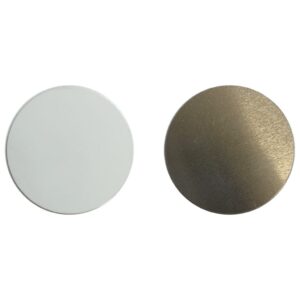
    Substrate MaterialAluminium
    Substrate FinishGloss

    👤 Age and Usage


    Age RangeAdult
    Adult ProductNo

    📋 Pop Socket Black Pack of 100 Design

    🎨 Print Areas


    Print Area 1 Length38.00 mm (+/- 5%)
    Print Area 1 Width38.00 mm (+/- 5%)

    👤 Suggested Bleed


    Bleed Left2.00 mm (+/- 5%)
    Bleed Right2.00 mm (+/- 5%)
    Bleed Top2.00 mm (+/- 5%)
    Bleed Bottom2.00 mm (+/- 5%)

    ⬇️ Download Design Templates

    ♨️ How to sublimate a Published

    📋 Materials Needed

    • Sublimation printer and sublimation ink
    • Sublimation paper
    • Heat-resistant tape
    • Flat Heat Press
    • Published (Substrate)

    🔥 Flat Heat Press Settings


    Temperature Min: 180°C
    Temperature Max: 200°C
    Time Min: 60 Seconds
    Time Max: 80 Seconds
    Pressure:High

    (Tip: Different presses vary—start at 190°C for 70 seconds and adjust if needed.)


    📝 Preparation

    1. For templates, Mock-ups and image size required, please refer to the Design tab.
    2. Print your design, mirror your image.

    3. Remove the protective cover from the sublimation surface.
    4. Clean the substrate printing surface using a microfiber cloth or lint brush to remove dust, oils or lint. (As per substrate)
    5. Place the printed image face up and align the subatrate to the centre of the print.
    6. Secure the edges using heat-resistant tape to prevent movement.

    🛠️ Flat Heat Press Pressing

    1. Place a sheet of protective paper on the press.
    2. If this is your first press of the day, make sure you do a pre-press at the suggested heat press settings and bring all materials up to temperature.
    3. Flip the substrate holding the taped areas to secure.
    4. Place the substrate into the press sublimation coating face down, away from the heating element.
    5. Cover with another sheet of protective paper.
    6. Press at listed Heat Press Settings Above.

    ❄️ Cooling and Assembly

    1. Carefully remove the substrate from the press (it will be hot).
    2. Peel off the sublimation paper while the substrate is warm for best results.
    3. Allow the substrate to cool completely.
    4. Remove the adhesive cover tape from the substrate.

    5. Align and affix the aluminium insert firmly onto the substrate.

    ✅ Tips for Best Results

    • Ensure full edge-to-edge coverage in your design to avoid white borders (ensure bleed is sufficient).
    • If colours look dull, increase time by 5 seconds or pressure slightly.
    • If the coating looks yellowed, your temperature is too high or time too long.
    • Store substrate in a clean, dry, dust-free area before printing.

    Additional information

    Weight0.0001 kg
    Dimensions0.0001 × 0.0001 × 0.0001 cm

    🎬 Videos about Pop Socket Black Pack of 100

    ▶️ No Current Video

    No current videos are available for this product.


    ▶️ Visit our YouTube Channel

    Subscribe to be notified of new videos as they are released.

    📖 Warranty/Returns for the Pop Socket Black Pack of 100

    While the upmost care is taken with handling items, we do not cover the odd minor blemish which will be covered with a darker print. Please visit the link below in regards to returns or exchanges.


    Warranty/Returns Link

    To find out more about the warranty/returns policy for this item Click Here.


    Reviews

    There are no reviews yet.

    Only logged in customers who have purchased this product may leave a review.