Instructions for set up Description
📖 What to know about the Instructions
Instructions
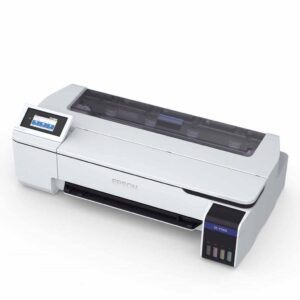
for installation and set up of an Epson Eco-Tank printer for Sublimation.


SKU: ZZOZZZ00107
Original price was: $9.95.$6.95Current price is: $6.95.
Internal use only – please do not purchase.
Instructions
for installation and set up of an Epson Eco-Tank printer for Sublimation.
| Shipping Length | 29.00 Cm (+/- 5%) |
|---|---|
| Shipping Width | 21.00 Cm (+/- 5%) |
| Shipping Height | 1.00 Cm (+/- 5%) |
| Primary | Digital |
|---|
| Adult Product | No |
|---|
Follow instructions step by step, very easy to follow.
No current videos are available for this product.
Subscribe to be notified of new videos as they are released.
Please see our returns policy as the link below.
Returns are assessed under our returns policy and Australian Consumer Law where applicable.
Only logged in customers who have purchased this product may leave a review.



Judy H. (verified owner) –
Easy to setup
Alejandra Sierra (verified owner) –
Nice and easy clear instruction.
Niki (verified owner) –
Clear instructions with photos, very helpful
Lisa Pearson (verified owner) –
So easy to follow
Alan ONeill (verified owner) –
Good paperwork with instructions, but not 100% accurate for the model printer I ordered. Still it was easy to overcome.
Shelley Donnelly (verified owner) –
Rachel N. (verified owner) –
Bonnie Thompson (verified owner) –
Fiona (verified owner) –
Easy to follow
Julie (verified owner) –
Janine Saunders (verified owner) –
Easy to follow
Sue P. (verified owner) –
Anonymous (verified owner) –
Michael Filacouridis (verified owner) –
Fallon Marsh (verified owner) –
Renee Wilesmith (verified owner) –
Stevi Thompson (verified owner) –
Jannine P. (verified owner) –
Samantha Miller (verified owner) –
I decided on the Epson et 2850 but some of the information was transferable and helpful
Maureen R. (verified owner) –
Contains heaps of helpful information
Anonymous (verified owner) –
Thank you so much for adding the instructions – it made everything so much easier! Will definitely order again from you once I’m out of ink! Thank you!!
Angela Cotton (verified owner) –
Na
Jodie F. (verified owner) –
Very detailed easy to follow very helpful to have
Lavinia F. (verified owner) –
Emily H. (verified owner) –
Rachel B. (verified owner) –
Samantha Flaherty (verified owner) –
Sandra Fisk (verified owner) –
Susan T. (verified owner) –
The instructions look quite comprehensive and should be easy to follow.
Anonymous (verified owner) –
Naomi E. (verified owner) –
Helpful
Lee Williams (verified owner) –
shannon house (verified owner) –
Set up for me was a little tricky without home wifi but got there following to app scanned off the instructions and seperate hotspot wifi
Simon Malinowski (verified owner) –
Great
Karen Marsh (verified owner) –
Kate Cassells (verified owner) –
Easy to follow
Selina Armstrong (verified owner) –
Clear
Mel Harvey (verified owner) –
Anonymous (verified owner) –
Dmitry F. (verified owner) –
Carly H. (verified owner) –
Sophia (verified owner) –
kylie brolan (verified owner) –
Instructions very easy to read and set up
Fahina Taylor (verified owner) –
Robyn S. (verified owner) –
Linda Mccann (verified owner) –
Nikki E. (verified owner) –
Anonymous (verified owner) –
Kylie K. (verified owner) –
Kelly (verified owner) –
Lesley S. (verified owner) –
DEBORAH (verified owner) –
Very easy to understand the setup
Krystle T. (verified owner) –
Sue (verified owner) –
Melinda M. (verified owner) –
Kelly Smith (verified owner) –
Anonymous (verified owner) –
Elizabeth Ryzy (verified owner) –
Tania (verified owner) –
Jamie-lee H. (verified owner) –
So glad this was in the pack. Super easy to follow
Kristy M. (verified owner) –
Andrew D. (verified owner) –
IMHO if you rely on these instructions to know what to do… Internet is full of guides and videos on how to setup a printer, but this is a nice touch to include with the kit I got.
Jessica Fraser (verified owner) –
Anthony Glennie (verified owner) –
Nikki Mackenzie (verified owner) –
Allyson (verified owner) –
Maria P. (verified owner) –
Michelle B. (verified owner) –
Annette R. (verified owner) –
The step by step instructions to set up was very easy and helpful
Nicky P. (verified owner) –
Easy to read and follow.
Sueanne B. (verified owner) –
Wendy Whyatt (verified owner) –
Jade L. (verified owner) –
Jan Coorie (verified owner) –
Karen V. (verified owner) –
Sandra D. (verified owner) –
Excellent instructions. Colour is prefect
Melita L. (verified owner) –
Wanita Potito (verified owner) –
Hassle free transaction and fast delivery as ususal
Juanita B. (verified owner) –
Easy to understand
Kathryn P. (verified owner) –
Nicole G. (verified owner) –
Lisa Brown (verified owner) –
Karen S. (verified owner) –
Fast & efficient
Diego (verified owner) –
so userfull!
Glenda R. (verified owner) –
Kerrie Pepper (verified owner) –
Kim (verified owner) –
Sharon C. (verified owner) –
Was really easy to convert with the help of your instructions.
Lorraine L. (verified owner) –
Theresa Hall (verified owner) –
Easy to follow
Leandra S. (verified owner) –
Tracey-lee (verified owner) –
I have not set up yet
Leslie Swain (verified owner) –
Wendy F. (verified owner) –
The sublimation printer preference instructions were perfect! Easy to understand and very helpful
Justine (verified owner) –
Great instructions, easy to follow.
Anonymous (verified owner) –
Amanda (verified owner) –
Sarah-Jane Riters (verified owner) –
Michelle (verified owner) –
Ktm Hetherington (verified owner) –
Anonymous (verified owner) –
Jennifer Middleton (verified owner) –
Patricia E. (verified owner) –
Speedy delivery, great products
Karen W. (verified owner) –
Laura Greenwood (verified owner) –
Laura (verified owner) –
Instructions were thorough and easy to follow.
Leesa (verified owner) –
Anonymous (verified owner) –
Kathleen Rolls (verified owner) –
Sue C. (verified owner) –
Easy to follow setup instructions included, but I chose to install from the epson website instead of using the disc provided.
Leeza jeffree (verified owner) –
Helen Hewson (verified owner) –
Too easy
Tracy Hall (verified owner) –
Excellent
Biannca Wackerling (verified owner) –
Annette M. (verified owner) –
Margaret (verified owner) –
Written instruction received with the package very informative and helpful.
Gareth Penna (verified owner) –
Tracey Evans (verified owner) –
Jenny (verified owner) –
Sandy M. (verified owner) –
Jagdeep Singh Sandhu (verified owner) –
Sandra Reda (verified owner) –
Yvonne (verified owner) –
Verified Buyer (verified owner) –
Get instructions, made installation and use super easy. Thank you. A+
Verified Buyer (verified owner) –
David Marshall (verified owner) –
Simple information to read
Tammy G. (verified owner) –
Verified Buyer (verified owner) –
Brianna R. (verified owner) –
very detailed easy to follow instructions
Kirsty Gordon (verified owner) –
Easy to follow
Charmaine Case (verified owner) –
Verified Buyer (verified owner) –
Cindy Hatchman (verified owner) –
Melissa L. (verified owner) –
Alicia Petersen (verified owner) –
Verified Buyer (verified owner) –
Joy M. (verified owner) –
Verified Buyer (verified owner) –
Michael G. (verified owner) –
Belinda (verified owner) –
Gail (verified owner) –
Great
Jennie F. (verified owner) –
The instructions for set up are pretty good, however I think they need to be a little more specific around filling the printer, as the instructions that come with the printer state to remove the little inside cap, which is what I followed, leading to a very big mess of ink all over my table.
Renae Quinlan (verified owner) –
VAKINA KARMANIOLOS (verified owner) –
Jacqui Francis (verified owner) –
Alan B. (verified owner) –
Very easy to follow.
sandra stevenson (verified owner) –
Easy peasy to follow
Keishea George-dalton (verified owner) –
Mel Roberts (verified owner) –
glenn roberts (verified owner) –
patrick meehan (verified owner) –
Seems well written o
Jenny Genrich (verified owner) –
Dianne Traill (verified owner) –
Morgan Tiddy (verified owner) –
Joanne Heynen (verified owner) –
Anonymous (verified owner) –
Fiona (verified owner) –
These instructions are were an unexpected, and welcomed, surprise.
Megan (verified owner) –
Raelene Rankin (verified owner) –
Hayley Waite (verified owner) –
Courtney (verified owner) –
CAILEEN (verified owner) –
Ina Mutsaers (verified owner) –
Tara (verified owner) –
Michelle (verified owner) –
Jacinta F. (verified owner) –
Renee Brown (verified owner) –
Lisa E. (verified owner) –
Easy to follow
Kerry Mayne (verified owner) –
pam Clarke (verified owner) –
I was given a print out which was so helpful to set up my printer
Tracey (verified owner) –
Hineani Diaz (verified owner) –
Very easy to follow instructions
Shannon A. (verified owner) –
Debbie (verified owner) –
Great instructions
Sorovesi Navutovuto (verified owner) –
Helpful
Leanne Walker (verified owner) –
The instructions are very clear and easy to read and if you have any questions the staff are only too happy to help!
Jan Heib (verified owner) –
Very easy to follow.
Kathy Rolph (verified owner) –
Joanne Podger (verified owner) –
Came free in bundle package. Good. Screen shot could be clearer. Or could be my eyes.
Darlene Mossley (verified owner) –
Kerrie S. (verified owner) –
Anonymous (verified owner) –
Jody Kynaston (verified owner) –
Kiley Sutherland (verified owner) –
Easy to read and understand
Cathy (verified owner) –
Andrea (verified owner) –
Samantha (verified owner) –
Karen P. (verified owner) –
Not used yet
Anonymous (verified owner) –
Good package
Sonya Bird (verified owner) –
Great package
Christina Hrissinis (verified owner) –
Good package
Kathy O. (verified owner) –
A little confusing actually had to ring my daughter for help
Dan (verified owner) –
There are grammatical errors in this document and you have the balls to charge this much for such a simple document. This is a rip off.
renee usher (verified owner) –
need larger print
Krystina W. (verified owner) –
I’d give the instructions a mid-range rating — they’re detailed and comprehensive, but I can only speak to the first page since the rest is focused on Windows users. As a Mac user, I wasn’t able to fully validate the rest of the guide. It would be helpful if instructions for both Windows and Mac were included. I’ve managed to create a working profile, though I’m not sure if there’s a more optimal setup. That said, everything seems to be working fine so far.
Sarah Michal (verified owner) –
john saenz (verified owner) –
Dianne (verified owner) –
Bob Li (verified owner) –
Tania B. (verified owner) –
Very detailed information
Lisa Inman (verified owner) –
Very easy to use and understand
David Hubble (verified owner) –
Deborah (verified owner) –
instructions were easy to understand
Cathy P. (verified owner) –
Amanda (verified owner) –
Brenton Haddin (verified owner) –
Good help
JULIE FAINGES (verified owner) –
Erin C. (verified owner) –
Sharon (verified owner) –
Evelyn Antonysen (verified owner) –
Ensures correct colour and good printing for printer chosen. Epson ET 1810
kim Blogg (verified owner) –
Raelene S. (verified owner) –
Taylor Mitchell (verified owner) –
Dianne S. (verified owner) –
Great
TrevorJames Lang (verified owner) –
lynnette Thompson (verified owner) –
karen b. (verified owner) –
Instructions were great my understanding not so great but I got there in the end.
Natalie P. (verified owner) –
Natalie M. (verified owner) –
Excellent. Written by someone who has followed them.
Maria P. (verified owner) –
Cherie (verified owner) –
Sharon C. (verified owner) –
Debbie C. (verified owner) –
Easy to follow even for a dummy like me
Emmalene McCrae (verified owner) –
Easy to install and operation.
shelley ham (verified owner) –
Absolutely best service beyond a doubt very easy to follow step by step and help to help over the phone.
Sonya Mcfarlane (verified owner) –
Krystal CRUICKSHANK (verified owner) –
CASSIE (verified owner) –
Ann S. (verified owner) –
Shana (verified owner) –
Jodie Manning (verified owner) –
Penni (verified owner) –
Leanne I. (verified owner) –
Easy to read steps.
Yarisnein Padreda (verified owner) –
Easy to use
TRACY L SCOTT (verified owner) –
Rodney Edgley (verified owner) –
Brooke S. (verified owner) –
Jade Harvey (verified owner) –
Andrew Cole (verified owner) –
Frances O’Neill (verified owner) –
Adam D. (verified owner) –
Cindy Charles (verified owner) –
Anonymous (verified owner) –
best decision i made going through this company.
Anonymous (verified owner) –
Great
Caroline TISHER (verified owner) –
Nicole P. (verified owner) –
Narelle B. (verified owner) –
Easy to follow and understand
Jolene Romero (verified owner) –
Jacinta F. (verified owner) –
Amanda (verified owner) –
Kristy M. (verified owner) –
Wanda Craig (verified owner) –
The print for the instructions was a little too small for me to read
Annie (verified owner) –
Leanne Ireland (verified owner) –
Tina T. (verified owner) –
Angie La’ulu (verified owner) –
David Rose (verified owner) –
Could be a bit more friendly as I found this to be a bit frustrating going between two manuals but that could be me.but got it running now
Sonia J. (verified owner) –
Karen S. (verified owner) –
Bonnie M. (verified owner) –
A ok
Marion Anne Johnson (verified owner) –
No instructions
Nicola Smith (verified owner) –
Great
Anonymous (verified owner) –
Was a little bit confused when adding the ink but eventually got there but instructions about the print options were helpful
KAREN Sidiropoulos (verified owner) –
Wanita (verified owner) –
Excellent products and service as always
Mark S. (verified owner) –
Easy to follow instructions
Brett Hawkins (verified owner) –
Nicky S. (verified owner) –
Very simple and clear, made it extremely easy.
Ivy D. (verified owner) –
I purchased 26th of August and I still waiting until now. Not satisfied why it took so long to deliver.
Symesy (store manager) –
Sorry for the delay with this one, we ran short of stock, dispatched as soon as it arrived and Australia post incorrectly handled as per below, while yes, we take full responsibility for the delay in dispatch, we do not deliver parcels and this reflects Australia Post’s service more than a product that you have not yet recieved.
Incorrectly sorted and forwarded to correct location
BARINGA QLD • Mon 21 Sep, 7.48am
Symesy (store manager) –
Sorry for the delay with this one, we ran short of stock, dispatched as soon as it arrived and Australia post incorrectly handled as per below, while yes, we take full responsibility for the delay in dispatch, we do not deliver parcels and this reflects Australia Post’s service more than a product that you have not yet received.
Incorrectly sorted and forwarded to correct location
BARINGA QLD • Mon 21 Sep, 7.48am